A practical buyer’s guide for laser cutting and sheet metal fabrication businesses
Choosing the right laser cutting quoting software is an important decision for any sheet metal fabrication business. As customer expectations increase and quotation turnaround times become shorter, manufacturers need software that does more than calculate cutting lengths and material costs.
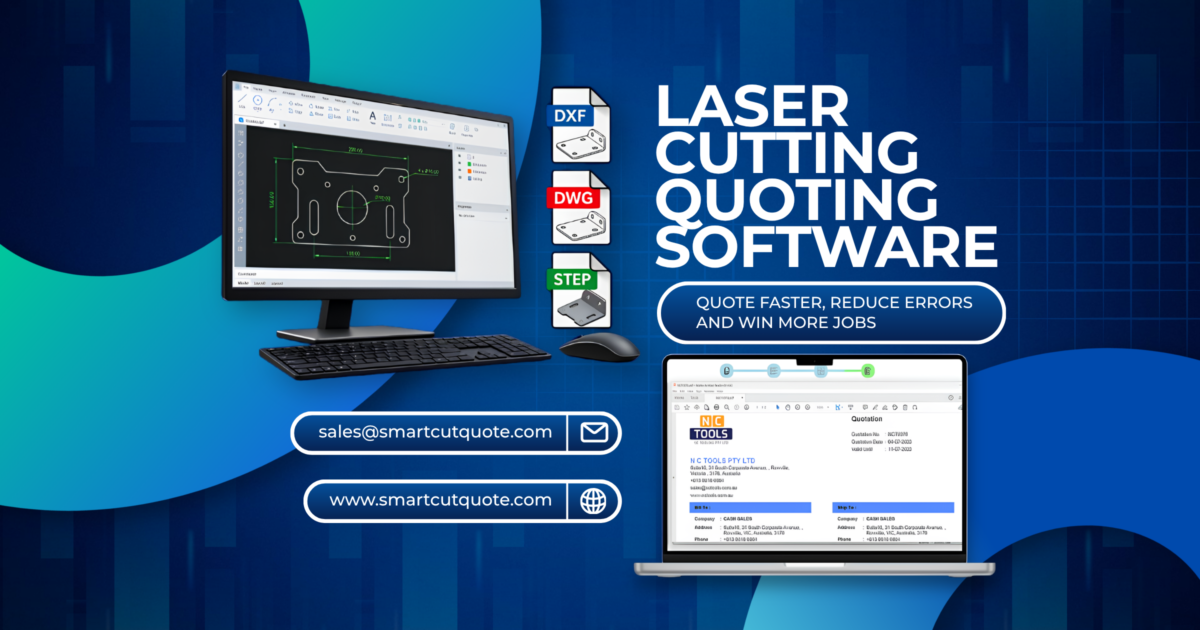
The best laser cutting quoting software should simplify the entire estimating process, from importing customer drawings to calculating manufacturing costs and producing professional quotations.
Before investing in a new system, there are several important questions every fabrication business should ask.
1. CAD Importing Is Important, but CAD Repair Is Essential
Most laser cutting businesses regularly receive DXF and DWG files from customers. Unfortunately, not every drawing is ready for manufacturing or estimating.
Common CAD problems include:
- Duplicate and overlapping lines.
- Open contours and small gaps.
- Incorrect drawing scales or units.
- Unnecessary construction geometry.
- Disconnected arcs and lines.
- Multiple components combined into a single drawing.
These problems can affect cutting length calculations, material estimates and ultimately the quoted price. Some quoting systems can import CAD files but offer limited tools to correct drawing problems. This may force estimators to open a separate CAD application, repair the drawing and import it again.
Before purchasing quoting software, ask: Can I repair customer CAD files directly within the quoting system?
Look for software that allows users to identify errors, join geometry, remove duplicates and correct drawings without requiring expensive standalone CAD software. Smart Cut Quote includes integrated 2D CAD cleanup and repair tools, helping estimators resolve common drawing problems within their quoting workflow.
2. Does the Software Support PDF Drawings?
Not every customer supplies a DXF or STEP file. Many engineering customers send PDF drawings, particularly when requesting quotations for replacement components, maintenance parts or smaller fabrication jobs.
Ideally, a system should offer one or more of the following capabilities:
- Importing vector PDF geometry.
- Converting supported PDF drawings into editable CAD geometry.
- Using PDF dimensions to create a new part.
- Allowing users to trace or recreate geometry from a reference drawing.
There is an important difference between a vector PDF and a scanned PDF. Vector PDFs may contain measurable drawing geometry, while scanned PDFs generally contain images that require interpretation, tracing or reconstruction. Any converted geometry should be checked against the drawing dimensions before quotation or manufacture.
Buying tip: Ask the supplier to demonstrate a quotation using one of your actual customer PDF drawings, not just a prepared sample.
3. Can You Create Reusable Parametric Part Templates?
Many fabrication businesses manufacture similar components repeatedly, with only the dimensions changing. Consider a rectangular mounting plate with four holes. One customer may require a 200 × 150 mm plate, while another requires the same design at 300 × 200 mm. Should your estimator have to create a new drawing every time?
Modern quoting software should ideally support parametric part creation, allowing users to generate geometry by entering dimensions. Look for features such as:
- Creating standard shapes through dimensional inputs.
- Adjusting length, width, diameter and hole positions.
- Saving frequently used shapes as templates.
- Reusing templates for different customers and dimensions.
- Automatically updating calculated costs when dimensions change.
A library of reusable templates can save considerable time for businesses quoting brackets, plates, flanges, washers and other repetitive components. Smart Cut Quote includes parametric 2D CAD creation. Buyers should also verify that their preferred software supports the specific template saving and reuse workflows their business requires.
4. Can It Quote 3D STEP Files and Complete Assemblies?
More customers are supplying 3D CAD models rather than traditional 2D drawings. A good quoting system should be able to work directly with 3D STEP files, rather than requiring the estimator to create a DXF drawing manually.
For sheet metal parts, valuable capabilities include identifying material thickness, recognising bends and generating flat patterns. However, individual part support is only the beginning.
Can the software import and analyse a complete assembly containing multiple components?
For example, a fabricated enclosure might contain six sheet metal parts, several bends, purchased components and assembly operations. An effective system should help the estimator identify individual components, calculate relevant manufacturing operations and prepare a quotation without manually rebuilding the entire assembly.
Smart Cut Quote supports 3D STEP files, including individual parts and assemblies, with automatic extraction of sheet metal information and flat pattern generation.
Buying tip: Test the software using one of your actual multi component assemblies. Check whether it correctly identifies the parts, quantities and manufacturing requirements.
5. Does the Software Calculate the Complete Manufacturing Cost?
Laser cutting is only one part of many fabrication jobs. A quotation may also need to include bending, welding, tapping, deburring, powder coating, assembly, packing and freight.
Look for configurable costing rules covering:
- Material prices and utilisation.
- Machine cutting rates and piercing times.
- Setup and handling costs.
- Sheet metal bending operations.
- Secondary manufacturing processes.
- Labour and auxiliary costs.
- Minimum charges, margins and pricing adjustments.
The best system is not necessarily the one that produces the lowest estimate. It is the one that produces a realistic, consistent and commercially sustainable price.
6. Cloud Based or Locally Installed Software: Who Controls Your Data?
Cloud based quoting software offers convenient access, centralised updates and collaboration between users. However, businesses should understand financial, operational and security implications before committing to a fully cloud dependent system.
What happens to your data?
Your quoting system may contain commercially sensitive information, including customer drawings, manufacturing designs, material pricing, supplier costs, customer details and profit margins. Before selecting a cloud based system, ask:
- Where is our data physically hosted?
- Who owns our customer and quotation data?
- Can the provider access our customer drawings?
- Is our data shared with third parties or used to train AI systems?
- Is the data encrypted during transmission and storage?
- Can we export our complete database if we change providers?
- What happens to our data if we cancel the subscription?
These questions become particularly important when handling confidential designs or engineering drawings supplied under nondisclosure agreements.
What happens if the cloud service is compromised?
A security incident could potentially expose confidential drawings, customer information, manufacturing costs or commercially sensitive intellectual property. Depending on circumstances, consequences may include disruption, financial losses, damaged trust and contractual or regulatory obligations.
Cloud hosting does not automatically mean a system is insecure. Many providers invest heavily in security infrastructure. Ask about access controls, multifactor authentication, independent security assessments, backups, incident notification and disaster recovery.
A locally installed system also requires appropriate security, backups and maintenance. Keeping data on your own computer does not automatically make it safe.
The key question is: Who controls the data, who is responsible for protecting it, and how quickly can the business recover if something goes wrong?
7. Understand the Real Cost of Cloud Subscriptions
The advertised monthly subscription is not always the complete cost. Some products may charge separately for additional users, quotations, CAD processing, 3D imports, storage, integrations or premium features.
Before committing, investigate:
- Are quotations limited each month?
- Are there additional charges for STEP files or assemblies?
- Is CAD repair included in the standard subscription?
- Are extra users charged separately?
- Are storage or data transfer limits imposed?
- What happens if the internet connection is unavailable?
- Can the software continue operating if the provider experiences an outage?
- How easily can data be migrated to another system?
A low monthly subscription can become expensive as a business grows. Compare the total cost over three years, not just the introductory price.
8. Is the Software Easy for Your Entire Team to Use?
A quoting system should reduce dependency on a single experienced estimator. If only one person understands the software, the business may simply replace one bottleneck with another.
Look for an intuitive interface, clear costing breakdowns, manageable material libraries and accessible training resources. Ask a staff member with limited CAD experience to prepare a quotation after basic training.
Can they import a drawing, identify its dimensions, select the correct material, review manufacturing costs and generate a professional quote? Software should support experienced estimators while making routine quotations easier for other authorised staff.
9. Can You Adjust the Software to Match Your Business?
Every fabrication business has different machines, cutting parameters, labour costs, materials and pricing strategies. Quoting software should allow these variables to be configured without requiring custom software development.
Businesses should be able to maintain material prices, machine rates, cutting parameters, bending rules and auxiliary costs. It should also be possible to review the calculated cost breakdown before issuing the final quotation.
Transparent calculations are important when estimators need to explain why a price has changed or assess job profitability.
10. Test the Software With Real Customer Jobs Before Buying
A polished software demonstration does not always reveal how a system performs with real customer files. Select several representative jobs: a DXF with errors, a PDF drawing, a reusable part with changing dimensions, a folded sheet metal STEP file and a complete 3D assembly.
Compare the time needed to prepare each quote, geometry accuracy, costing flexibility and manual intervention. Where possible, compare results with previously manufactured jobs and actual production costs.
The best laser cutting quoting software is the one that performs reliably with the files and manufacturing processes your business handles every day.
Final Thoughts: Choosing Laser Cutting Quoting Software for 2027
Laser cutting quotation software should do more than generate a price. It should reduce the time spent correcting CAD drawings, support modern 2D and 3D formats, simplify repetitive quotations and provide accurate, configurable manufacturing costs.
Data ownership, cybersecurity, subscription limits and recoverability are equally important. Manufacturers should look beyond advertised features and evaluate software in their real working environment.
Discover Smart Cut Quote
Smart Cut Quote is developed for laser cutting, plasma cutting, waterjet cutting and sheet metal fabrication businesses. With integrated DXF and DWG processing, 2D CAD repair, parametric CAD creation, 3D STEP assembly support and configurable manufacturing cost calculations, Smart Cut Quote helps manufacturers simplify estimating and prepare professional quotations.
See how Smart Cut Quote can help your business reduce quoting time and improve costing consistency.
For more information about Smart cut Quote Software and product inquiries, please contact us at https://nctools.com.au/ or call us on +61 3 8618 6884
Or Visit https://smartcutquote.com/